
Reset FDP Settings
The Reset FDP Settings page is the emergency reset tool for Freesoul Deactivate Plugins. It permanently clears the saved FDP configuration so you can start again from a clean state.
You can find the Reset FDP Settings page directly in the FDP admin navigation. Open the FDP menu in the WordPress backend, then go to the Tools area (tools icon) and click Reset FDP Settings.
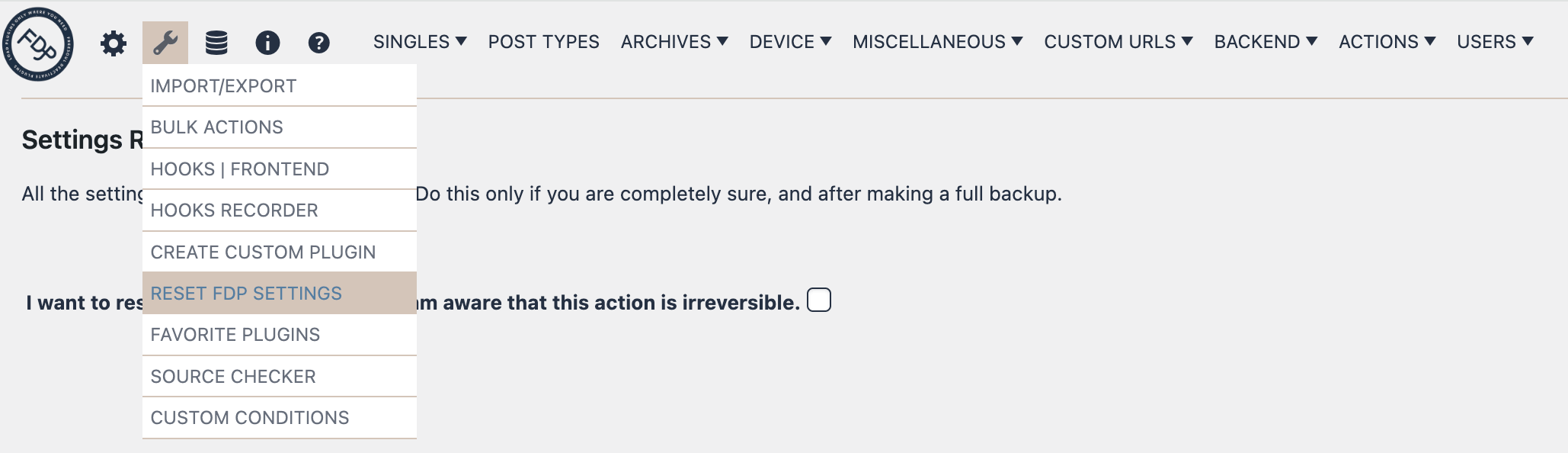
What this page does
This page is designed to remove the saved settings used by FDP. It is intended for cases where you want to completely reset the plugin configuration instead of editing individual options one by one.
When the reset is confirmed, FDP clears its stored settings and reloads the main FDP page.
If Freesoul Deactivate Plugins PRO is installed, the reset also includes the PRO settings.
Important warning
This action is irreversible.
Before using it, make sure you have a full backup of the site and database. The page itself warns that all FDP settings will be completely cleared.
Use this tool only if you are absolutely sure that you want to remove the existing FDP configuration.
How the confirmation works
The page uses a multi-step confirmation process to reduce accidental resets.
You must:
- Check the confirmation box stating that you want to reset all FDP settings.
- Type the word RESET in the confirmation field.
- Click the final Reset all the settings button.
The reset button stays hidden until the confirmation text is entered correctly.
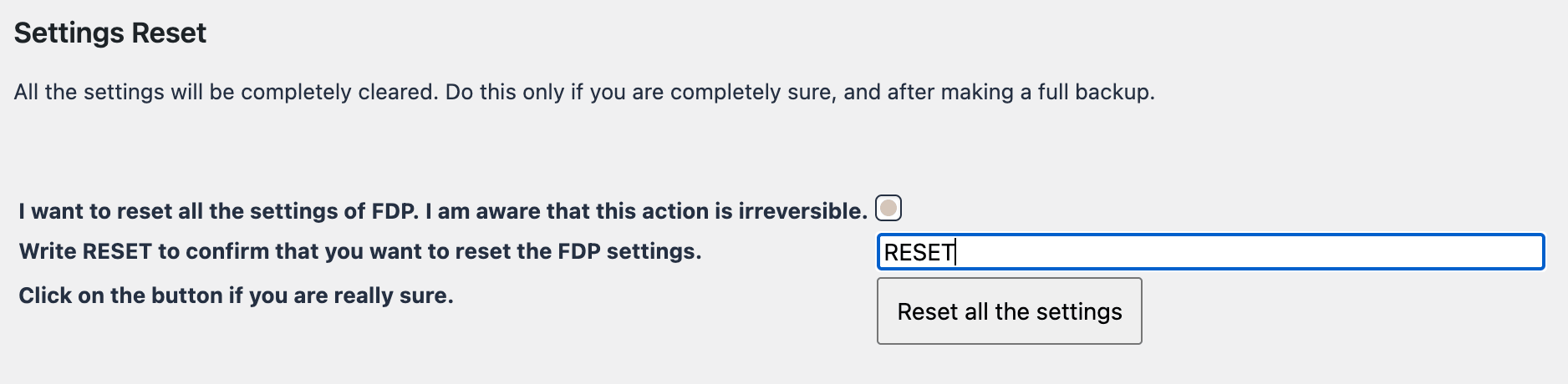
How to use the page
- Open Reset FDP Settings.
- Read the warning message carefully.
- Check the box confirming that you understand the action is irreversible.
- Type RESET in the confirmation field.
- Click Reset all the settings.
- Wait a moment while FDP performs the reset and redirects you back to the main FDP page.
When to use it
This page is useful when:
- You want to completely restart your FDP configuration from scratch
- You are troubleshooting a heavily customized setup
- You want to remove old FDP settings before rebuilding the rules
- You need a clean configuration after testing or migration work
What to expect after the reset
After the reset, your FDP configuration is cleared and you return to the main FDP settings area.
At that point, you can begin configuring FDP again as if starting fresh.
If FDP PRO is present, its related settings are reset as well.
Best practice
Use this page only as a last resort. In most cases, it is safer to adjust or remove only the specific settings you no longer need.
If you do use the reset tool, create a full backup first so you can restore the previous configuration if needed.