
Plugin Tests
The Plugin Tests page gives you a quick way to check the latest public compatibility test badges for the plugins currently active on your site.
Freesoul Deactivate Plugins → Testing → Plugin Tests
This page does not run tests directly inside your site. Instead, it shows external test badges provided by plugintests.com for the active plugins detected by FDP.

What this page is for
The purpose of the Plugin Tests page is to help you quickly review whether the active plugins on your site have recent public test results available.
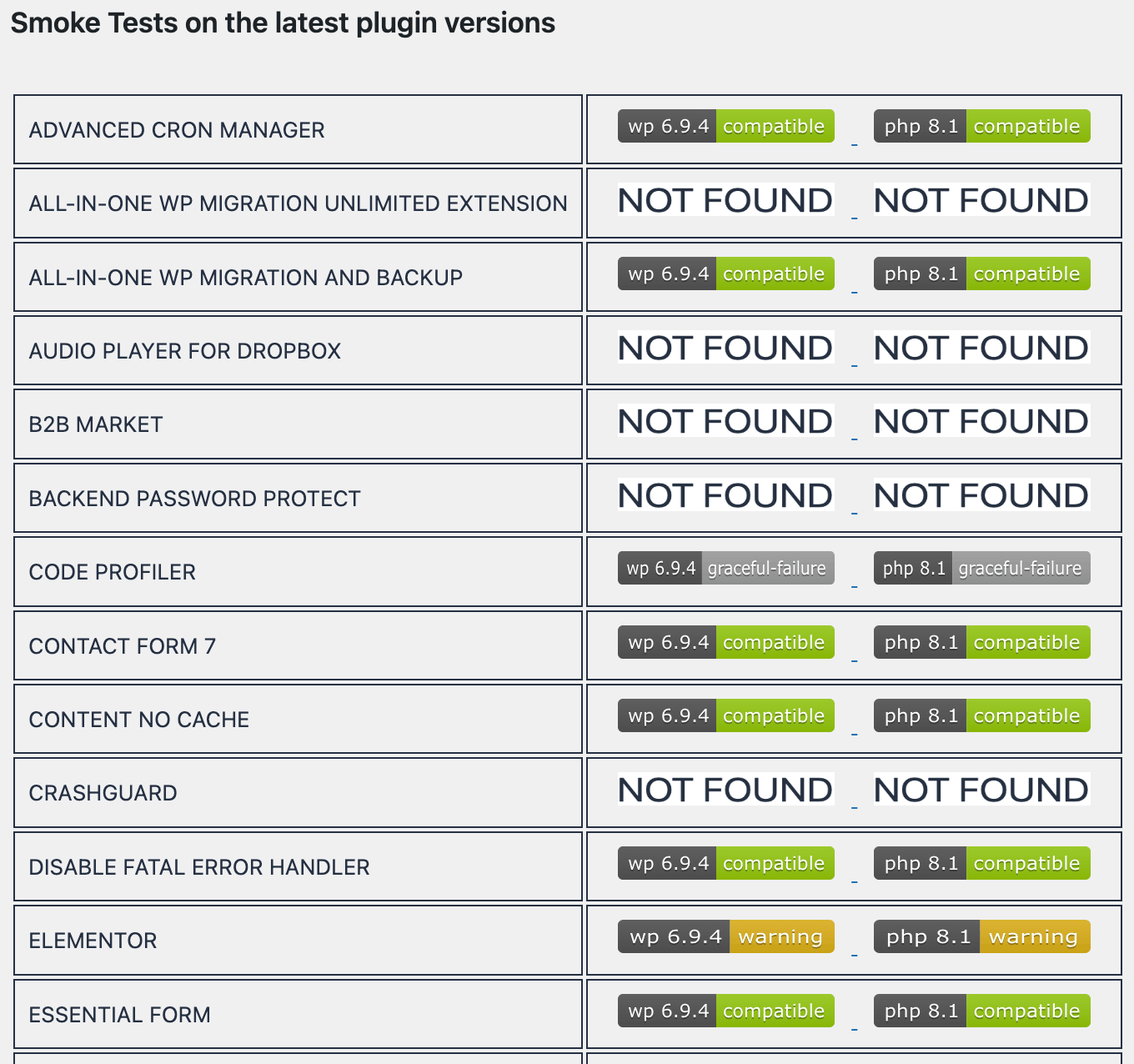
For each active plugin, the page displays two badges:
- A WordPress compatibility badge
- A PHP compatibility badge
Each badge links to the corresponding plugin page on plugintests.com, where you can inspect more details.
How it works
Freesoul Deactivate Plugins reads the list of currently active plugins and builds a table.
For every active plugin, the page loads two remote badges from plugintests.com to indicate compatibility with the WordPress core and PHP versions.
If a test badge is available, it is shown in the table and links to a page with full details about the test.
The plugin list
Each row in the table corresponds to one active plugin.
The plugin name is shown in uppercase, followed by the available test badges.
This makes it easy to scan many plugins quickly and identify which ones already have public compatibility test information.
When a badge is not available
If plugintests.com does not provide the badge for a plugin, FDP shows a fallback image with the meaning:
Test not found
This does not necessarily mean the plugin is broken. It usually means that no matching test badge could be retrieved for that plugin, for example because it’s a premium plugin.
How to use this page
A practical way to use the page is:
- Open Plugin Tests.
- Scroll through the list of active plugins.
- Look at the WordPress and PHP badges for each plugin.
- Open the badge link for any plugin you want to inspect more closely.
- Review the external test page if needed.
When this page is useful
This page is useful when you want to:
- Quickly review compatibility test availability for active plugins
- Spot plugins that may need more attention before updates
- Open the public test page for a plugin without searching manually
- Get a lightweight overview of your active plugin stack
Important notes
- This page shows information only for active plugins.
- The tests are not performed by FDP directly.
- The badges are loaded from plugintests.com.
- Missing badges do not automatically indicate a problem with the plugin.
- The page is mainly an informational shortcut, not a diagnostic engine.
Difference between Plugin Tests and other testing pages
The Plugin Tests page is different from pages such as:
- Testing Settings
- Reports
- Per-row GTmetrix or Google PSI tests
Those tools are used for performance testing and report collection.
By contrast, Plugin Tests is a simple compatibility overview page based on external test badges.
Best practice
Use this page as a quick reference, not as the only source of truth. If a plugin is business-critical, you should still verify updates and compatibility in a staging environment, especially when changing:
- WordPress version
- PHP version
- Theme
- Other plugins with known integrations
Example workflow
A common workflow could be:
- Open Plugin Tests before a major update.
- Review the badges for the active plugins.
- Open the external test pages for the most important plugins.
- Use that information together with your own staging tests and FDP performance checks.
This gives you a broader picture before making changes in production.