
Singles: how to deactivate plugins on specific posts, pages, and custom post types
In the Singles section you can decide which plugins should be deactivated on individual pieces of content, such as:
- Blog posts
- Pages
- Any publicly queryable custom post type
This allows you to load plugins only where they are really needed.
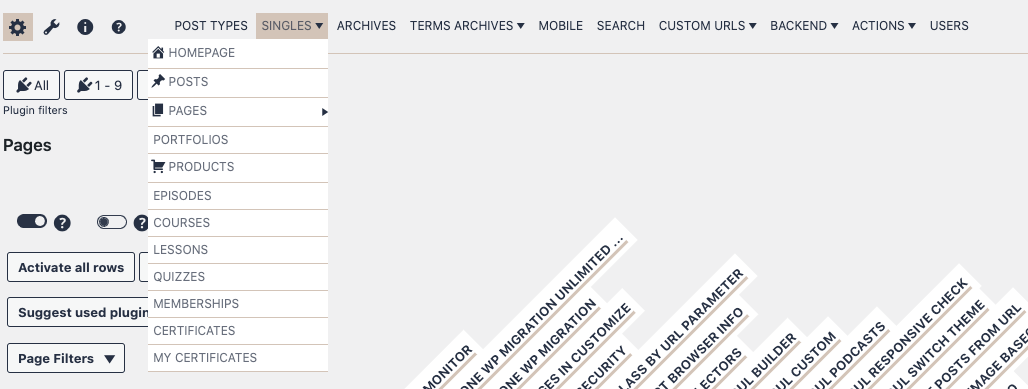
Under the Singles menu item, you will find a submenu that lists all the post types registered on your website that are publicly queryable.
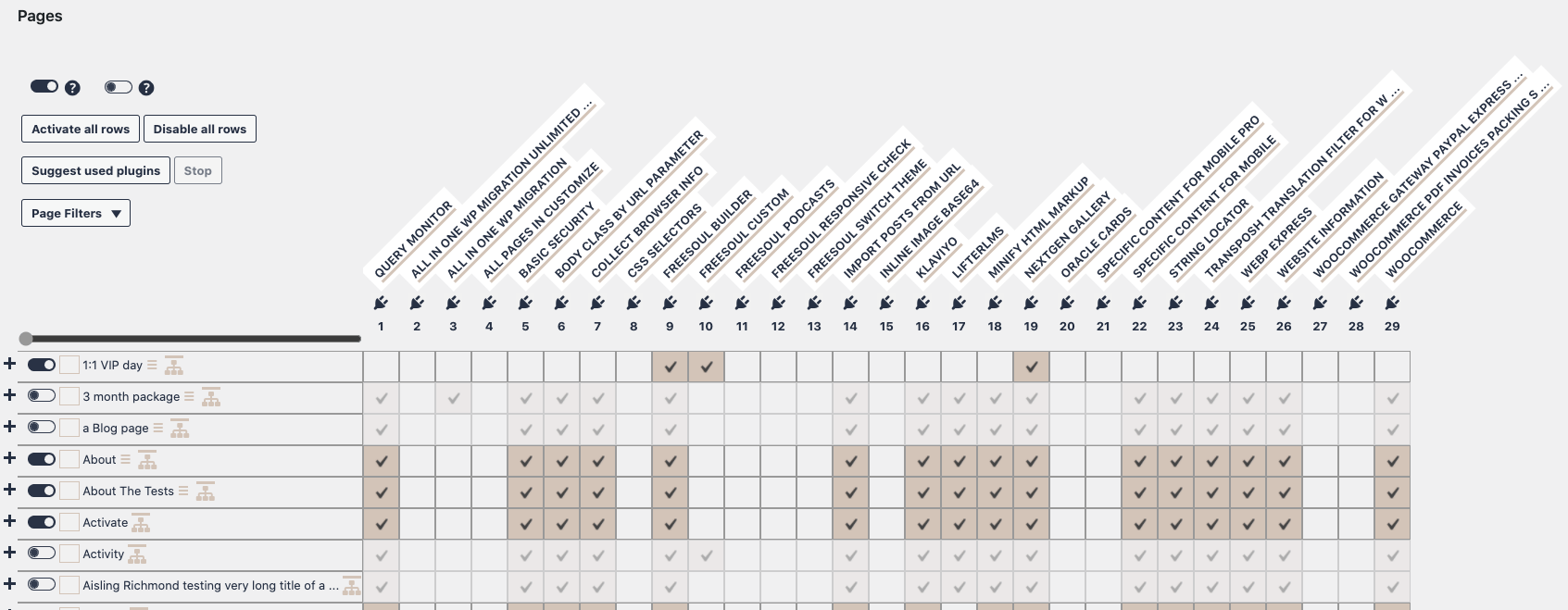
In this example, on the page “1:1 VIP Day”, only the following plugins are kept active:
- Freesoul Builder
- Freesoul Custom
- NextGEN Gallery
All other plugins are disabled.
Because the row is active, the Singles settings override the Post Types settings for this page.
The recommended approach is:
- Use Post Types settings as the base configuration for most pages
- Use Singles settings only for pages that need a different set of plugins
If you are using the PRO version and want to start from the Post Types configuration, you can copy those settings into Singles, as shown in the following video.
⚠️ Important notes when using Singles
- Make sure the row is active
If the switch on the left is OFF, the Singles rule is completely ignored and Post Types settings will apply. - Do not disable plugins that generate the page content
If a page is built with a page builder, that builder must remain active for that page. - Singles override Post Types
When a Singles row is active, it always has priority over Post Types for that specific page. - Custom URLs still have higher priority
If the page matches a Custom URL rule, Singles will be ignored. - Preview before saving
Always use the preview button to check the page before saving your changes.
✅ Singles setup checklist
- ☐ I identified the exact page or post that needs a custom configuration
- ☐ I verified which plugin actually generates the page content
- ☐ I kept the required page builder / form / checkout plugin active
- ☐ I disabled only the plugins that are truly unnecessary
- ☐ I made sure the Singles row is active
- ☐ I checked that no Custom URLs rule overrides this page
- ☐ I used the preview button before saving
- ☐ I tested the page on the frontend after saving