
Invert Plugin Selection for a Row
Use the Invert Selection button to quickly reverse the current enabled and disabled state of the options in a single row.
This is a fast way to test the opposite configuration of a row without manually clicking each checkbox one by one.
What This Button Does
When you click Invert Selection, FDP reverses the state of the checkboxes in the current row.
In practical terms:
- plugins that are currently active in that row become inactive
- plugins that are currently inactive in that row become active
This is useful when you want to immediately test the opposite setup of a row.
Where to Find It
Open the Action Buttons bar for the row.
Inside the row actions, look for the button with the invert icon.
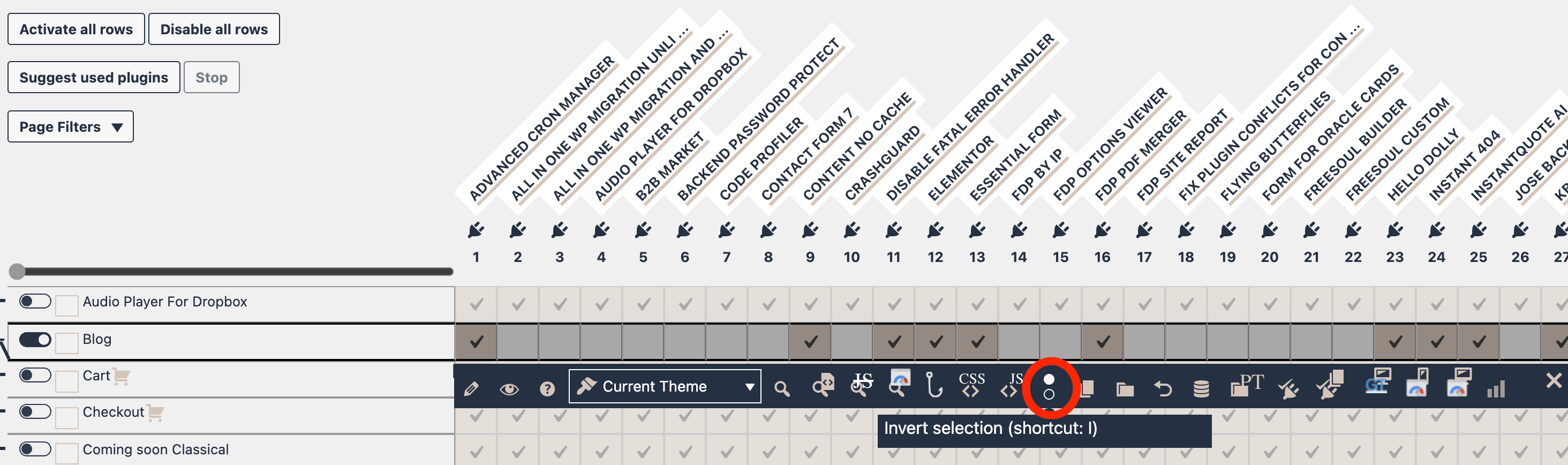
How to Use It
- Open the FDP page containing the row you want to change.
- Open the row action bar.
- Click the Invert Selection button.
- FDP immediately flips the row checkboxes.
- Review the result.
- Preview or save if the new configuration is the one you want.
What It Does Not Invert
The button does not work as a global table-level inversion.
It only affects the row where you click it.
It also does not permanently save the row by itself.
It only changes the current row state in the interface.
If you want the inverted configuration to become permanent, you still need to save the settings normally.