
User Agents
The User Agents page lets you deactivate specific plugins when the visitor’s browser or device matches selected user agent strings. This is useful when a plugin should not run for certain devices, browsers, crawlers, apps, or other client types identified through the User-Agent header.
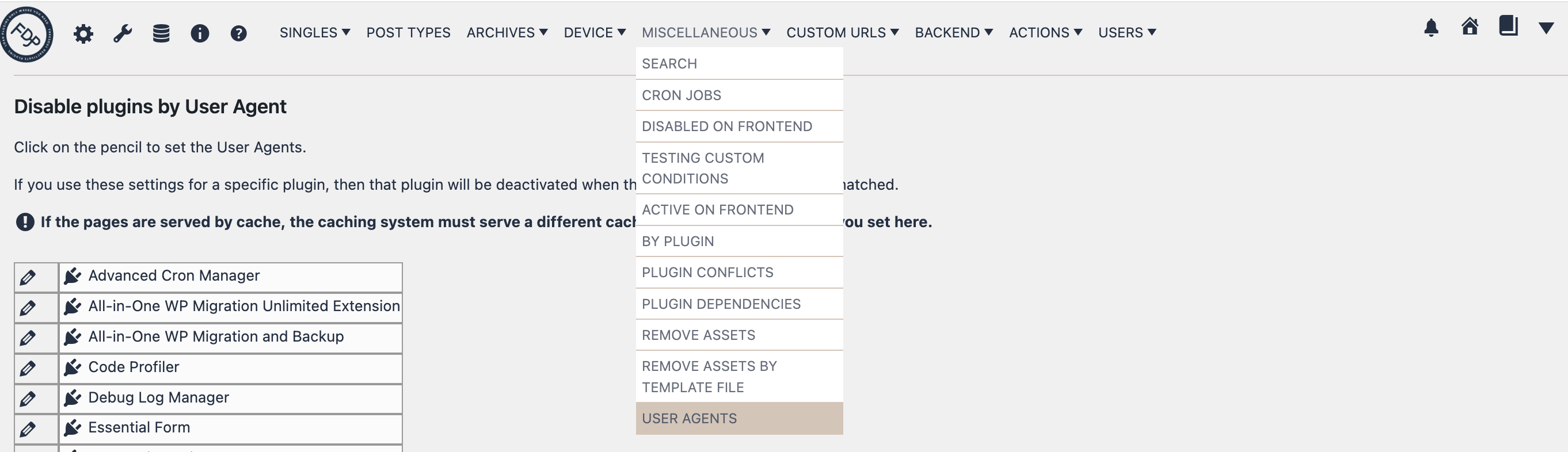
You can find this page in the FDP navigation at:
FDP > Miscellaneous > User Agents
What This Page Does
This page lets you create plugin rules based on the visitor’s user agent.
For each plugin, you can define one or more user agent values. When the current request matches one of those values, FDP deactivates that plugin for that request.
In simple terms:
“If the current visitor uses this user agent, disable this plugin.”
This is useful when a plugin should behave differently depending on the browser, device, crawler, or application making the request.
How To Configure It
- Open FDP > Miscellaneous > User Agents.
- Find the plugin you want to control.
- Click the pencil icon next to that plugin.
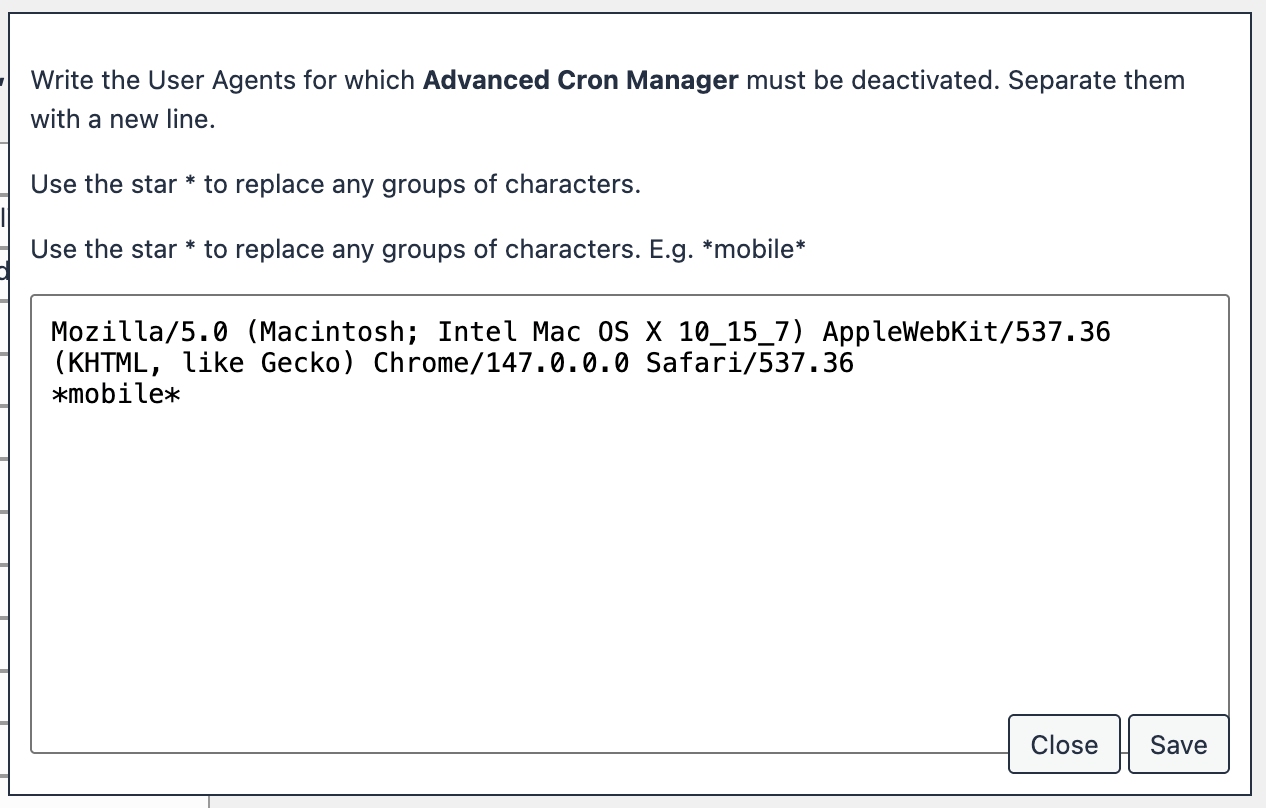
- Enter the user agent values that should trigger deactivation.
- Put each value on a new line.
- Save the popup.
- Save the page settings.
After saving, FDP checks the current User-Agent header and deactivates the plugin when one of the configured values matches.
How Matching Works
The matching is based on the current browser’s or client’s User-Agent string.
A practical way to use this feature is to enter distinctive fragments of the user agent, for example:
- mobile
- android
- iphone
- googlebot
- facebookexternalhit
The comparison is case-insensitive, so FDP does not require exact capitalization.
A good rule is to use clear, recognizable user agent fragments rather than overly long or overly generic strings.
Typical Use Cases
This feature can be useful when:
- a plugin causes issues only on specific mobile devices
- a plugin should not run for specific bots or crawlers
- you want to disable a plugin for in-app browsers
- a plugin should not load for certain browser families
- you need a device- or client-specific fallback
Examples:
- disable a heavy frontend plugin for some mobile user agents
- disable a plugin for search engine bots
- disable a plugin for social sharing crawlers
- disable a plugin for a browser/app combination that causes conflicts
Important Difference From URL-Based Rules
This page does not look at the page URL first. It looks at the client making the request.
So this feature answers:
“Who is requesting the page?”
while URL-based settings answer:
“Which page is being requested?”
Use User Agents when the condition depends on the browser or device, not on the page itself.
Caching Warning
This is one of the most important points for this page.
If your site is cached, your caching system must serve different cached versions for the user agents you want to treat differently.
Otherwise, the page may be cached once and then served to other visitors incorrectly, making the user-agent-based rule ineffective or inconsistent.
So before relying heavily on this feature, make sure your cache setup is compatible with user-agent-based variations.
Best Practice
Use this feature only when you have a clear reason to target specific user agents.
A good workflow is:
- identify the exact browser, bot, or device fragment you want to target
- add that fragment to the plugin row
- test carefully using the affected client type
- confirm that the plugin is disabled only where expected
It is usually better to start with a very specific user agent fragment and broaden it only if needed.
Troubleshooting
If the rule does not work as expected, check the following:
- the user agent fragment is correct
- the settings were saved
- the current request really contains that user agent
- a caching layer is not serving the wrong cached response
- the fragment is not too broad or too narrow
If needed, inspect the actual User-Agent header sent by the client and then use a distinctive part of it in the rule.
Summary
The User Agents page lets you deactivate plugins based on the client making the request.
It answers the question:
When this browser, device, bot, or app requests the page, which plugins should FDP disable?
This is a powerful feature for device-specific compatibility fixes, bot-specific optimizations, and browser-targeted plugin control.