
Firing Order
Freesoul Deactivate Plugins PRO allows you to **change the execution order of plugins**. This can be useful in rare cases where the natural hook order causes conflicts or issues.
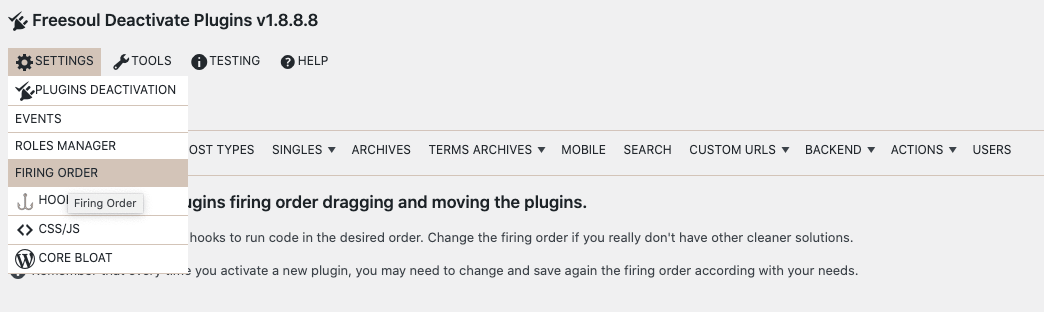
You can access this feature here:
Freesoul Deactivate Plugins → Settings → Firing Order
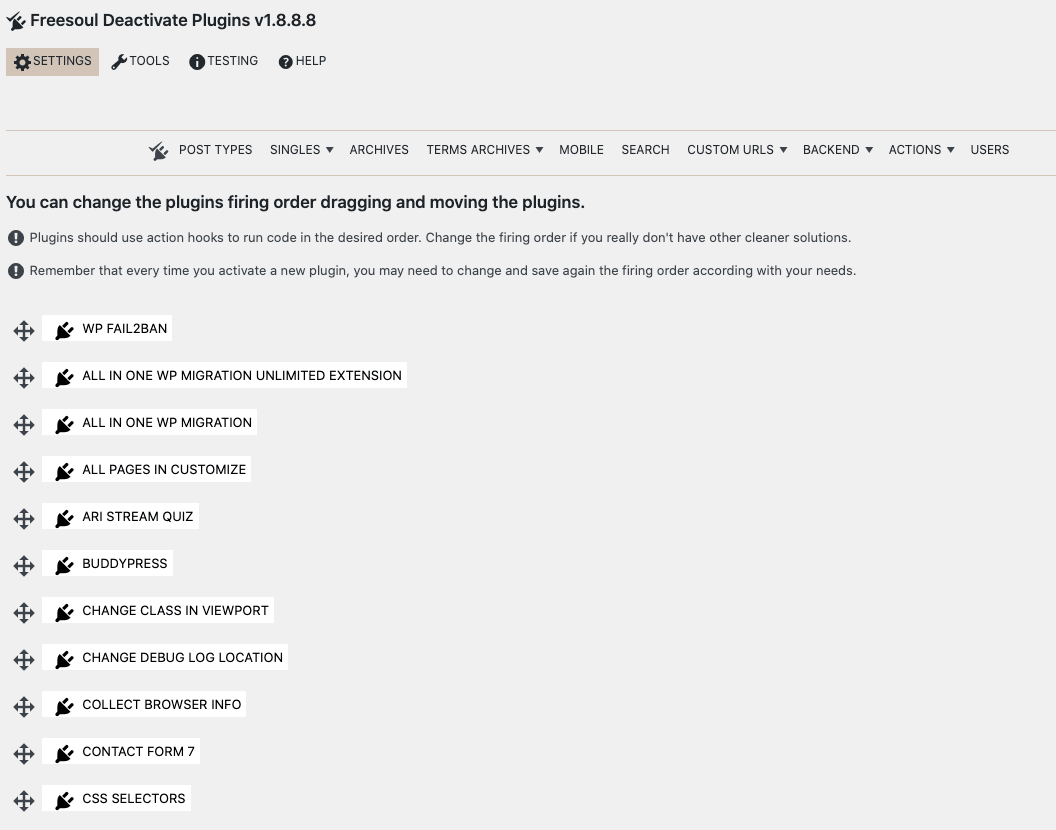
How to Change Plugin Firing Order
- Drag a plugin to move it before or after another plugin
- Click Save to apply the new firing order
Example: If Plugin A must run before Plugin B, simply drag it above Plugin B and save the settings.
Important Considerations
- This feature should be used **only if absolutely necessary**. Well-coded plugins generally use WordPress hooks correctly, so a manual change is rarely needed.
- Changing firing order is not a permanent fix. Activating a new plugin may require you to adjust and save the order again.
- Always test your site after modifying the firing order to ensure everything works as expected.
- Whenever possible, consider contacting the plugin authors to solve conflicts more cleanly rather than relying on this feature.
Tip: Use Firing Order as a last resort—FDP provides it for completeness, but the best solution is always proper hook management by plugin developers.
Summary
The **Firing Order** feature in FDP PRO:
- Lets you manually adjust the execution order of plugins
- Helps resolve rare conflicts caused by plugin execution sequence
- Should be used sparingly, with proper testing
It complements FDP’s role as a plugin manager but is **not a substitute for clean coding practices**.