
Roles Manager
The Roles Manager allows you to control which user roles can access Freesoul Deactivate Plugins settings. This is essential to prevent accidental misconfiguration and to keep performance optimizations under control.
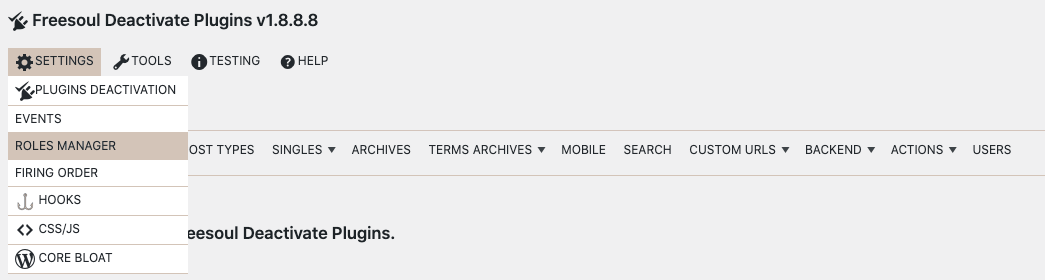
You can find the Roles Manager under:
Freesoul Deactivate Plugins → Settings → Roles Manager
What You Can Control
Using the Roles Manager, you can decide:
- Who can see the global FDP settings
- Who can see FDP settings on single posts
- Who can see FDP options on the Plugins page
This gives you fine-grained control over who is allowed to optimize (or break) your site.
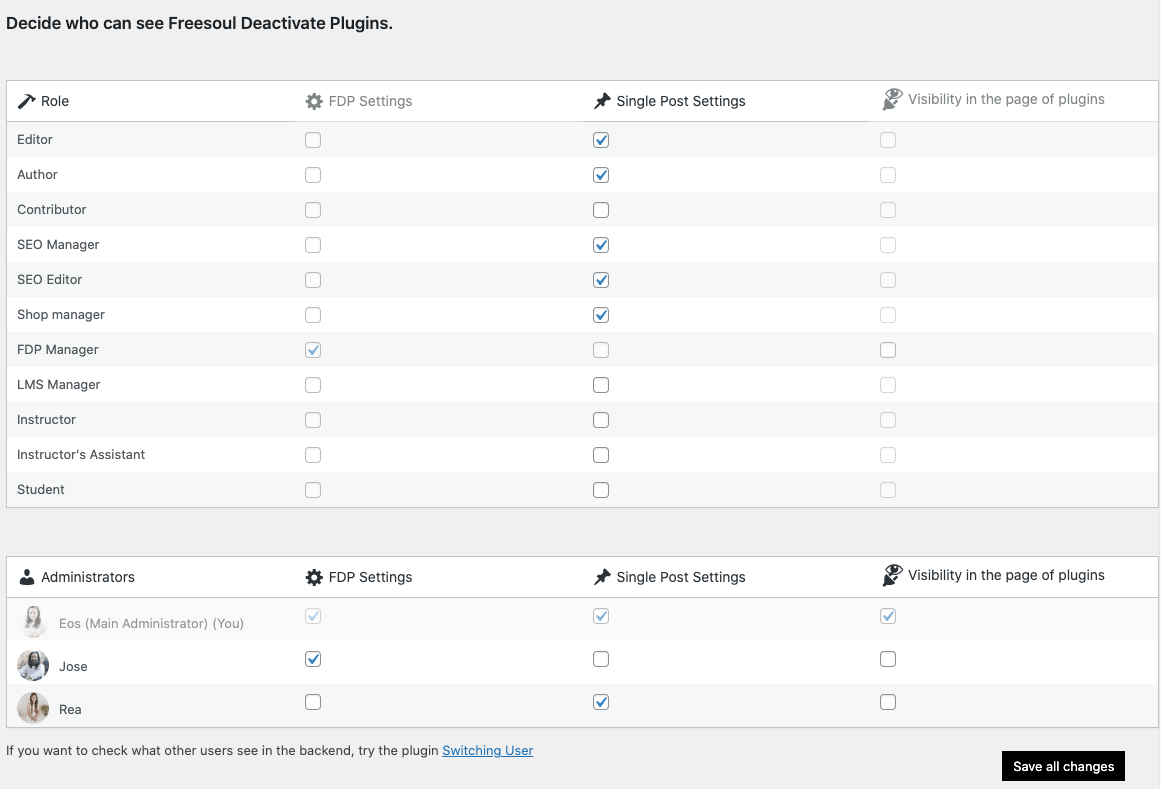
The main administrator will always see all FDP settings, regardless of role restrictions.
Real-World Examples
- Editors managing content
Allow editors to access FDP on single posts, but prevent them from changing global settings. - Performance specialist role
Create a custom role that can manage FDP globally, while other admins handle content only. - Client websites
Hide FDP entirely from clients who are also administrators to avoid accidental plugin deactivation.
⚠️ Important Warning
- Users with access to FDP can drastically change site behavior
- Incorrect plugin deactivation can break pages or backend features
- Never grant FDP access to roles that don’t understand plugin dependencies
Best Practices
- Limit global FDP access to administrators or trusted developers
- Allow single-post access only if users understand page-specific optimization
✅ Mini Checklist
- ☐ Only trained users can disable plugins
In Summary
The Roles Manager helps you:
- Protect your performance optimizations
- Avoid accidental plugin deactivation
- Keep FDP usage limited to the right people
Configuring roles correctly is one of the most important steps when using Freesoul Deactivate Plugins on multi-user or client-managed websites.