
Main Settings
The Main Settings panel allows you to define how Freesoul Deactivate Plugins behaves globally. These options help you control automation, notifications, safety checks, and debugging.
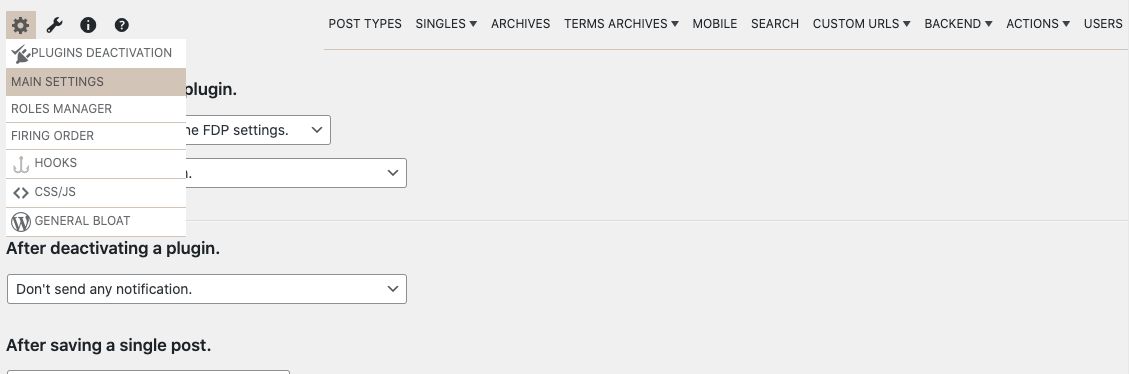
You can find the Main Settings under:
Freesoul Deactivate Plugins → Settings → Main Settings
Plugin Activation Behavior
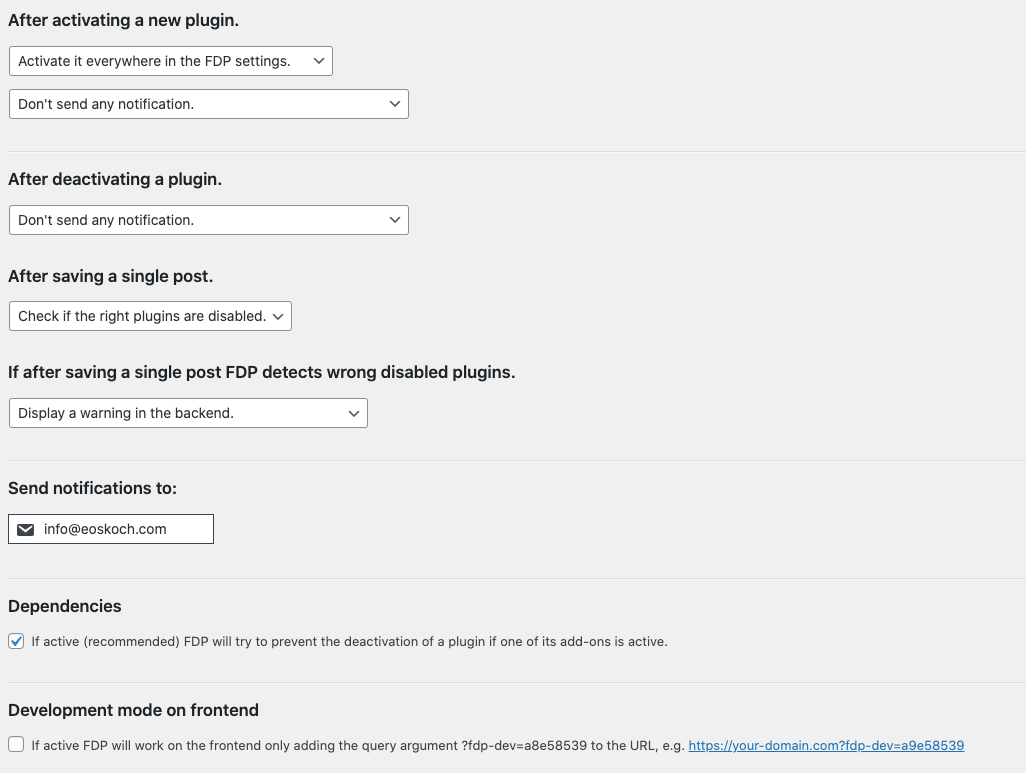
When a new plugin is activated, you can decide how FDP should handle it:
- Activate everywhere in FDP settings
- Deactivate everywhere in FDP settings
- Send no notification
- Send an email notification
- Send an email and mention who activated the plugin
Plugin Deactivation Behavior
When a plugin is deactivated, you can choose whether to:
- Send no notification
- Send an email notification
- Send an email and mention who deactivated the plugin
This is particularly useful on multi-admin or client-managed websites.
Single Post Safety Checks
After saving a single post, FDP can:
- Automatically check if the correct plugins are disabled
- Skip any checks
- Show a warning in the backend if the wrong plugins are disabled
- Show a warning and send an email notification
These checks help prevent broken pages caused by incorrect plugin configurations.
Additional Global Options
- Notification email address
Choose where FDP sends alerts and warnings. - Plugin dependencies check
Enable or disable dependency validation between plugins. - Debug mode
Enable detailed logging for troubleshooting and advanced testing.
Real-World Examples
- Agency or client website
Set new plugins to be deactivated everywhere and receive an email notification when someone activates one. - Performance-focused site
Enable single post checks and backend warnings to prevent wrong deactivations. - Development environment
Enable debug mode temporarily to trace plugin loading issues.
⚠️ Important Warning
- Automatically deactivating new plugins can break functionality if not reviewed
- Debug mode should not be enabled on production sites for long periods
- Email notifications can become noisy on busy multi-user sites
Best Practices
- Use email notifications on client or team-based sites
- Enable dependency checks to avoid hidden conflicts
- Disable debug mode once troubleshooting is complete
✅ Mini Checklist
- ☐ Notification email address is correct
- ☐ Plugin activation behavior is intentional
- ☐ Single post checks are enabled if needed
- ☐ Dependency check is enabled
- ☐ Debug mode is disabled on production
In Summary
The Main Settings define how Freesoul Deactivate Plugins behaves globally:
- Automation and safety checks
- Notifications and accountability
- Debugging and dependency control
A well-configured Main Settings panel is the foundation of a stable, optimized FDP setup.