
Disabled on Frontend (PRO)
If you want to disable certain plugins everywhere on the frontend, go to:
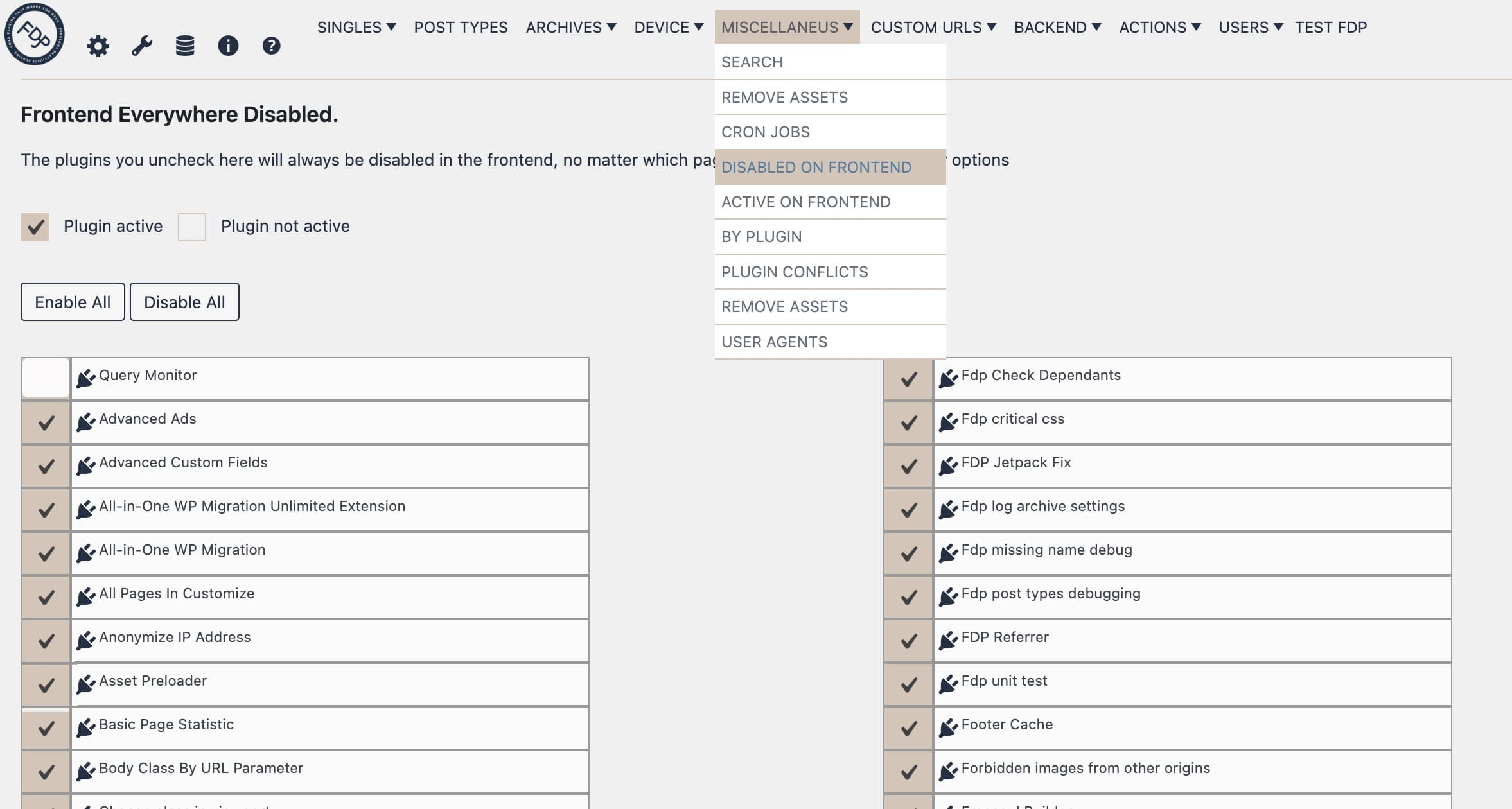
Freesoul Deactivate Plugins > Miscellaneous > Disable on Frontend and uncheck the plugins you want to disable.
Important: Only the Custom URLs settings can override the plugins disabled here. All other settings (Singles, Post Types, Archives, etc.) will be overridden by this option.
The example below shows how to disable Query Monitor on all frontend pages.
⚠️ Warning
- Performance caution: Disabling critical frontend plugins may break page layout or functionality.
- Custom URLs take priority: Make sure Custom URLs rules do not conflict with this setting.
✅ Disabled on Frontend Checklist
- ☐ Identify which plugins can be safely disabled site-wide on the frontend (e.g., backup plugins)
- ☐ Uncheck those plugins under Disable on Frontend
- ☐ Verify that Custom URLs rules are not overridden
- ☐ Test multiple pages to ensure layout and functionality are intact
Real-world example
- Disable All In One WP Migration site-wide on the frontend if you want it to run only on the backend.
Tip: Use this option for plugins that you want to completely disable on all frontend pages.