
CSS/JS Further Cleanup (PRO)
This feature allows you to clean up leftover CSS and JS assets after deactivating unnecessary plugins, further optimizing your site.
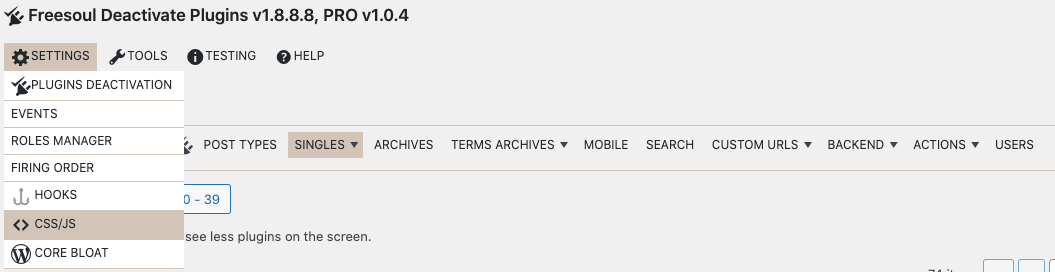
Access the panel: Freesoul Deactivate Plugins → Settings → CSS/JS.
Recommended workflow:
- First, **entirely deactivate unnecessary plugins** on pages where they are not needed.
- Then, use the CSS/JS control panel to remove leftover assets from active plugins.
This method ensures fewer HTTP requests.
Warning: Trying to remove assets before deactivating plugins can be confusing and may break functionality. Always follow the recommended order.
This feature also allows managing CSS/JS loaded by WordPress core and your theme.
Available only for PRO users. Free version allows unloading entire plugins, but not residual assets.
Remove Unneeded Stylesheets
After selectively disabling unnecessary plugins, some stylesheets may still load. Use the CSS control panel to remove stylesheets that do not affect the page:
- Example: WooCommerce is needed on the shop page, but some of its stylesheets can be removed.
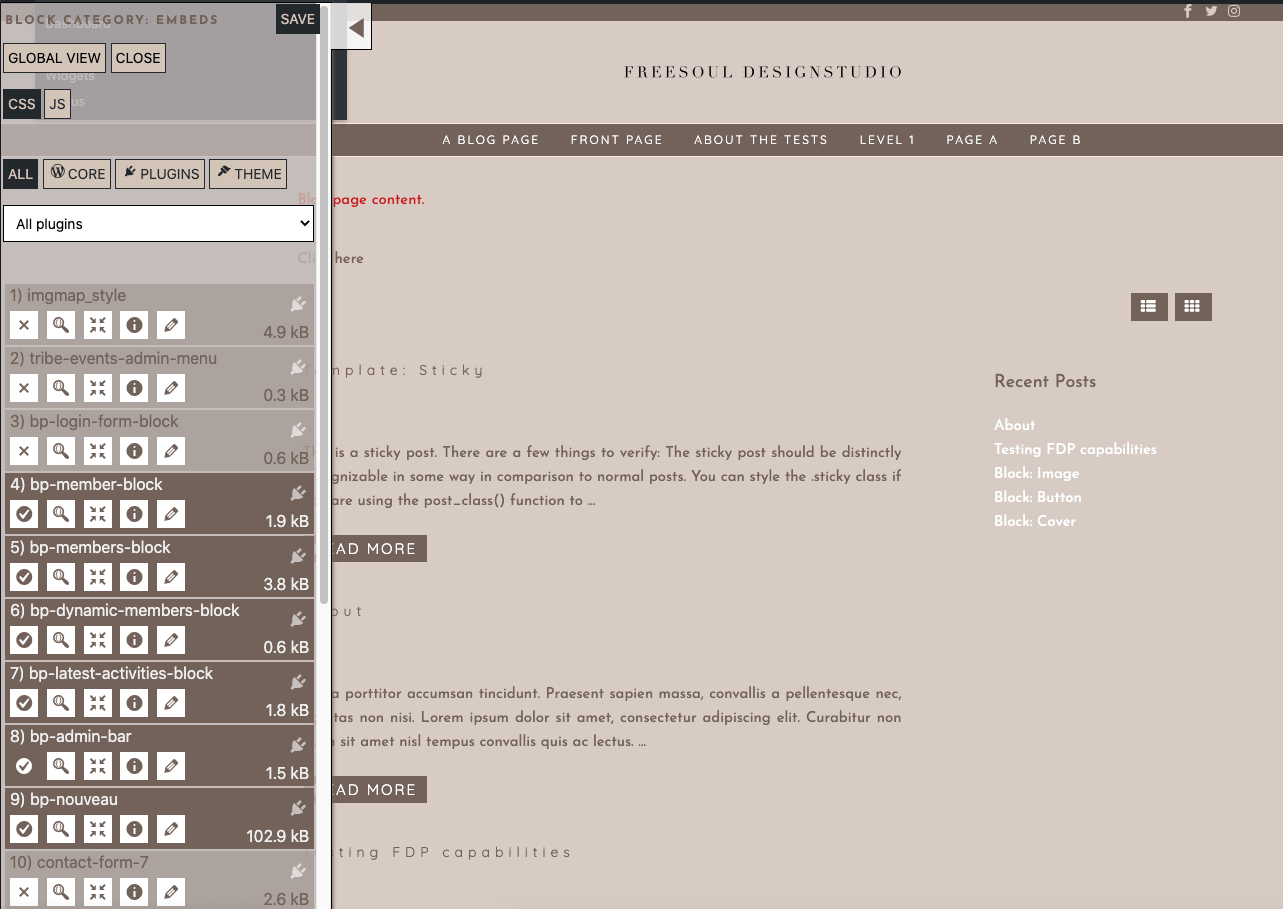
Action Icons for Stylesheets:
 |
Disable the stylesheet on the current page. |
 |
Send the CSS to a validator to check for errors. |
 |
Strip unused CSS rules (beta feature; may affect browser cache). Add define('FDP_BETA_VERSION', true); to wp-config.php. |
 |
View CSS file information. |
 |
Open a popup to unload the stylesheet by page, URL, post type, or archive. |
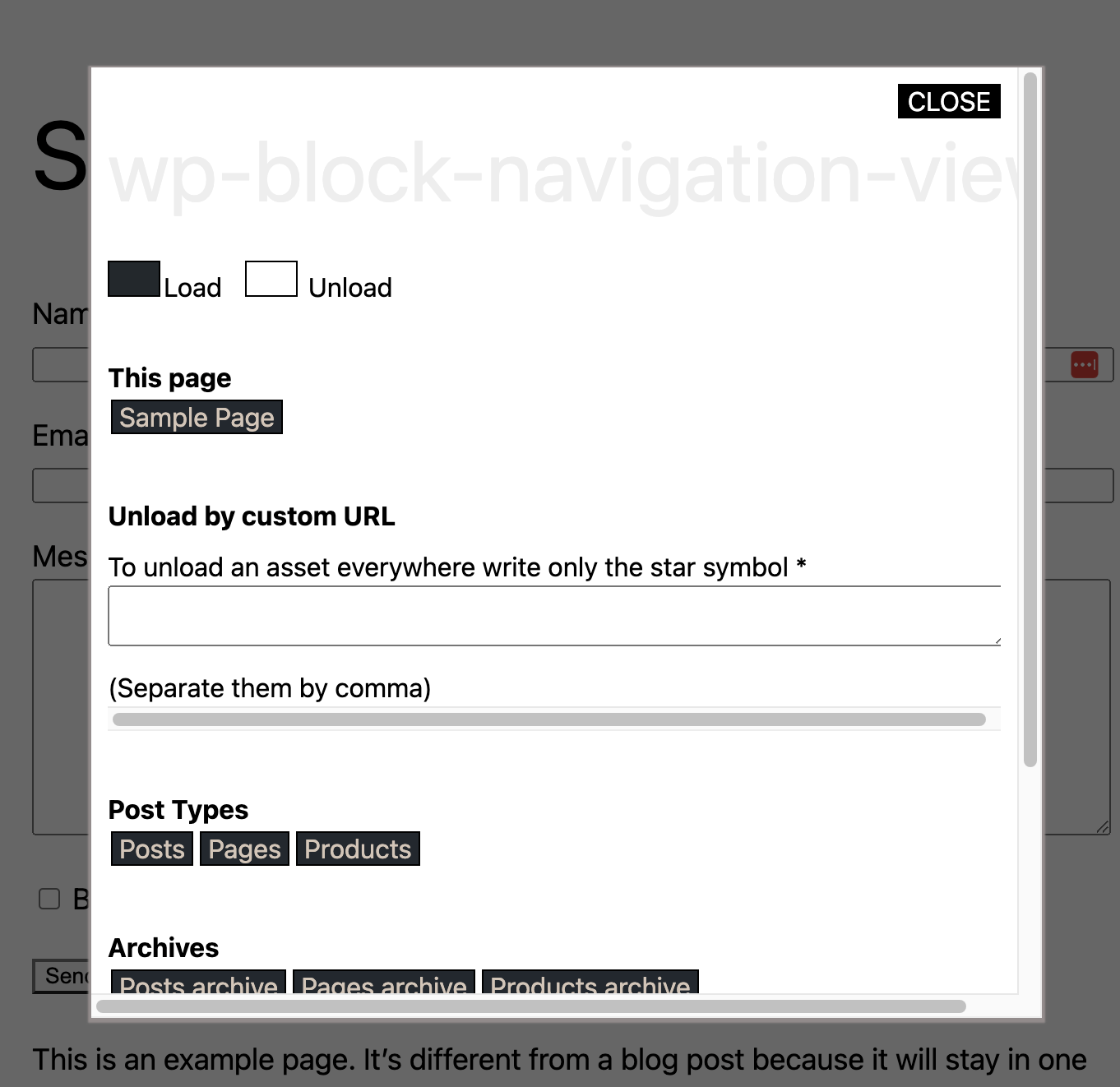
Stylesheet unloading options popup:
- On the actual page
- By custom URL
- By Post Type
- By Archive
Remove Unneeded Scripts
After disabling unnecessary plugins, some scripts may still load. Use the JS control panel to remove scripts that do not add functionality.
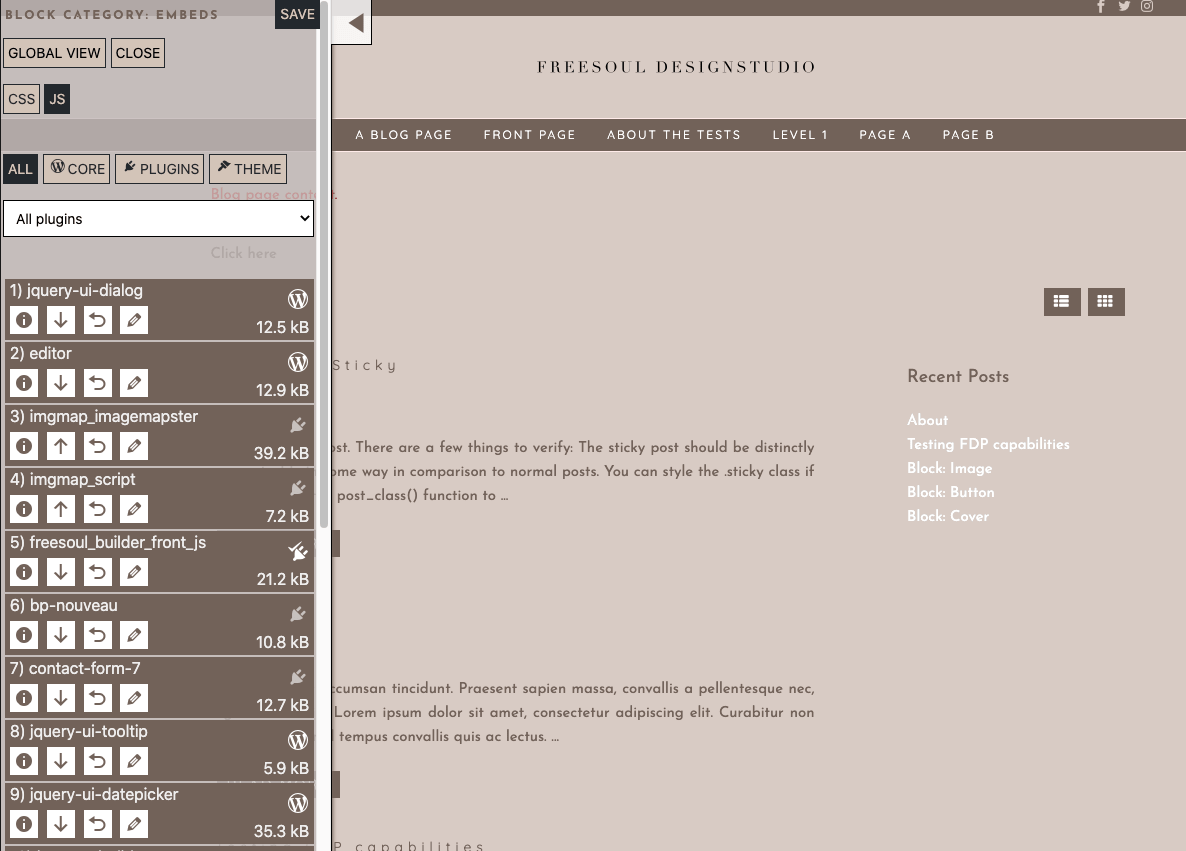
Action Icons for Scripts:
 |
Disable the script on the current page. |
 |
Move the script to the footer or head. |
 |
Restore original script position (head or footer). |
 |
Open a popup to unload the script by page, URL, post type, or archive. |

You can also access the CSS/JS control panel directly from the plugin row in the settings where unneeded plugins are disabled.
Important Warning:
- Improperly unloading CSS/JS may break page layout or functionality.
- Always test changes before applying them to production.
- Follow the recommended workflow: first deactivate plugins, then clean up leftover assets.